

If you've ever published content in AEM as a Cloud Service, refreshed the page, and still seen the old version, you already know the problem this article is about.
The site isn't broken.
Caching is doing exactly what it's supposed to do.
The challenge is knowing when and how to clear that cache—without causing more problems than you solve.
Why Dispatcher Cache Becomes a Bottleneck
The dispatcher is the reason most AEM Cloud sites feel fast. Cached responses reduce load on publish instances and keep page load times predictable.
But that same cache is also what causes confusion during:
- Content updates
- Campaign launches
- Hotfixes
- Last-minute approvals
At some point—usually under time pressure—someone asks:
"Can we just clear the cache?"
That's where things get risky.
Publish vs Preview: Similar Problem, Different Impact
In AEM Cloud, publish and preview serve different audiences, and cache invalidation affects each one differently.
Publish
This is your live site. Users, search engines, and analytics all depend on it behaving correctly.
Clearing too much cache here can:
- Spike traffic to publish instances
- Slow down the site temporarily
- Create avoidable performance noise during releases
Preview
Preview is mostly internal, but expectations are higher than people admit.
Content reviewers expect to see:
- Immediate updates
- No hard refreshes
- No "try again later" explanations
The problem is that both environments usually have separate dispatcher configurations and separate invalidation agents. Manually handling both doesn’t scale once more than one team is involved.
Why Manual Cache Clearing Doesn't Hold Up
Most teams start with some version of:
- Dispatcher scripts
- SSH access
- Curl commands
- Tribal knowledge ("ask this person")
It works. Until it doesn't.
The common failure points are always the same:
- Someone clears more cache than intended
- Someone clears the wrong environment
- Nobody remembers what was flushed—or why
We wanted something safer. And visible.
The Idea: A Small Tool Inside AEM
Instead of adding more scripts, we built a simple dispatcher cache flush utility inside AEM itself.
Not a replacement for CI/CD automation.
Not something authors should touch casually.
Just a focused tool for controlled cache invalidation.
The requirements were straightforward:
- Work for publish and preview
- Accept specific paths, not blanket flushes
- Live in the AEM Tools console
- Use supported AEM Cloud APIs
Adding the Tool to the AEM Console
The utility is exposed as a custom entry in the AEM Tools console.
This keeps it:
- Easy to find
- Separate from authoring features
- Governed by standard AEM permissions
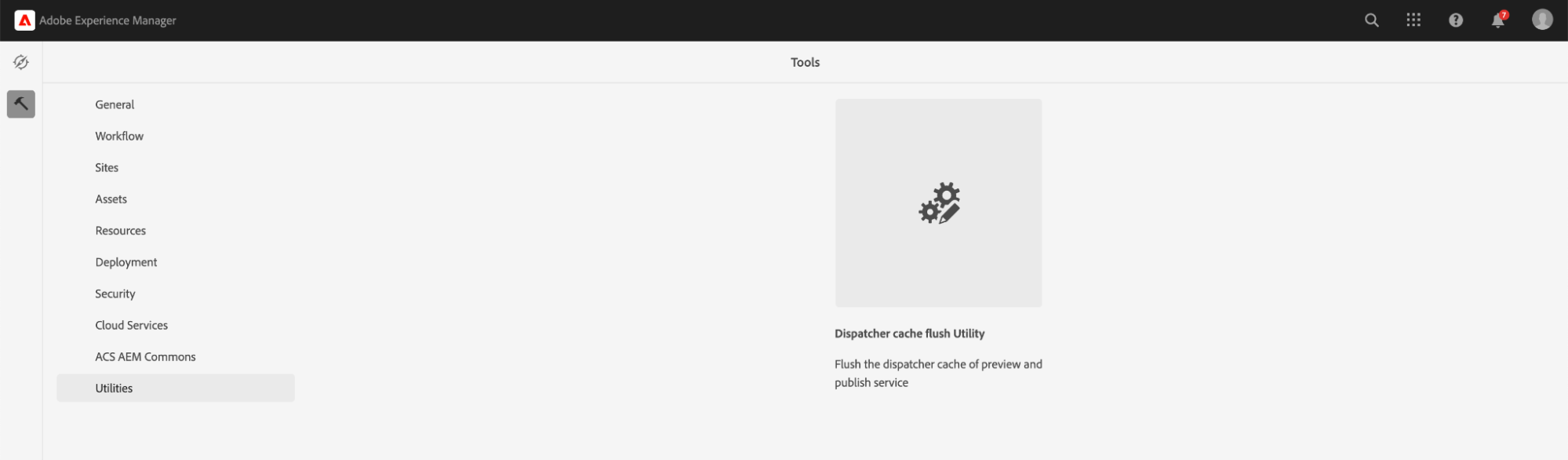
Only users with explicit access can see it. That part is non-negotiable.
The UI: Intentionally Boring (On Purpose)
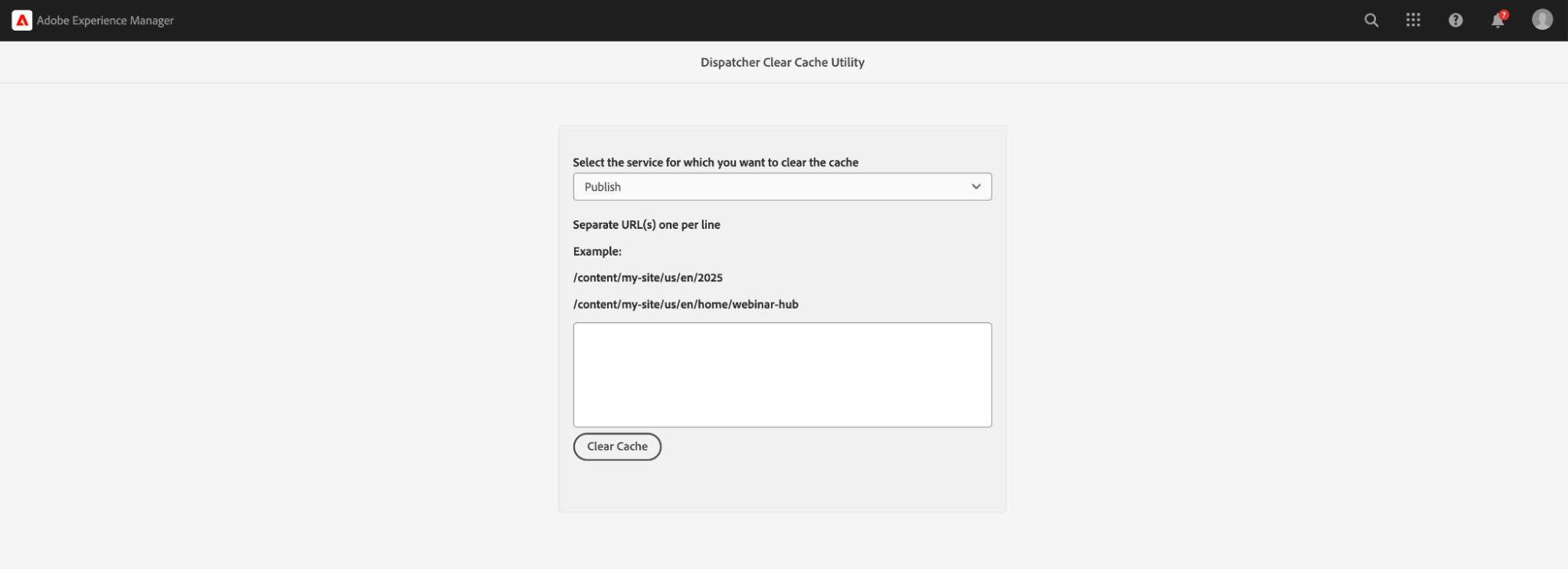
The UI is a basic Coral UI form.
It includes:
- A field for one or more repository paths (for example:
/content/site/en) - A selector for Publish or Preview
- A submit button
That’s it.
No "clear everything" option. No advanced toggles.
The goal is to encourage precision, not convenience.
Where the Actual Cache Invalidation Happens
When the form is submitted, a servlet handles the request using the Sling Distribution API.
This approach works cleanly with AEM Cloud’s dispatcher invalidation model and keeps publish and preview logic separated.
A simplified example looks like this:
DistributionRequest distributionRequest = new
SimpleDistributionRequest(DistributionRequestType.INVALIDATE, false, paths);
DistributionResponse dResponse = distributor.distribute(agent, resolver,
distributionRequest);
if (!dResponse.isSuccessful()) {
writer.println(String.format("Error Dispatcher Clear : %s - %s",
dResponse.getDistributionInfo().getId(), dResponse.getMessage()));
} else {
writer.println(String.format("Success Dispatcher Cache cleared successfully
for below paths
%s
", path));
}
In the actual implementation, we also:
- Validate paths before sending requests
- Log every invalidation for traceability
- Use different agents for publish and preview
This isn’t complicated code. The value is in how it’s used.
Deploying and Testing in AEM Cloud
- Select the target service (publish or preview)
- Enter a known content path
- Trigger the cache clear
- Verify the update on the site
- Check distribution agent logs for confirmation
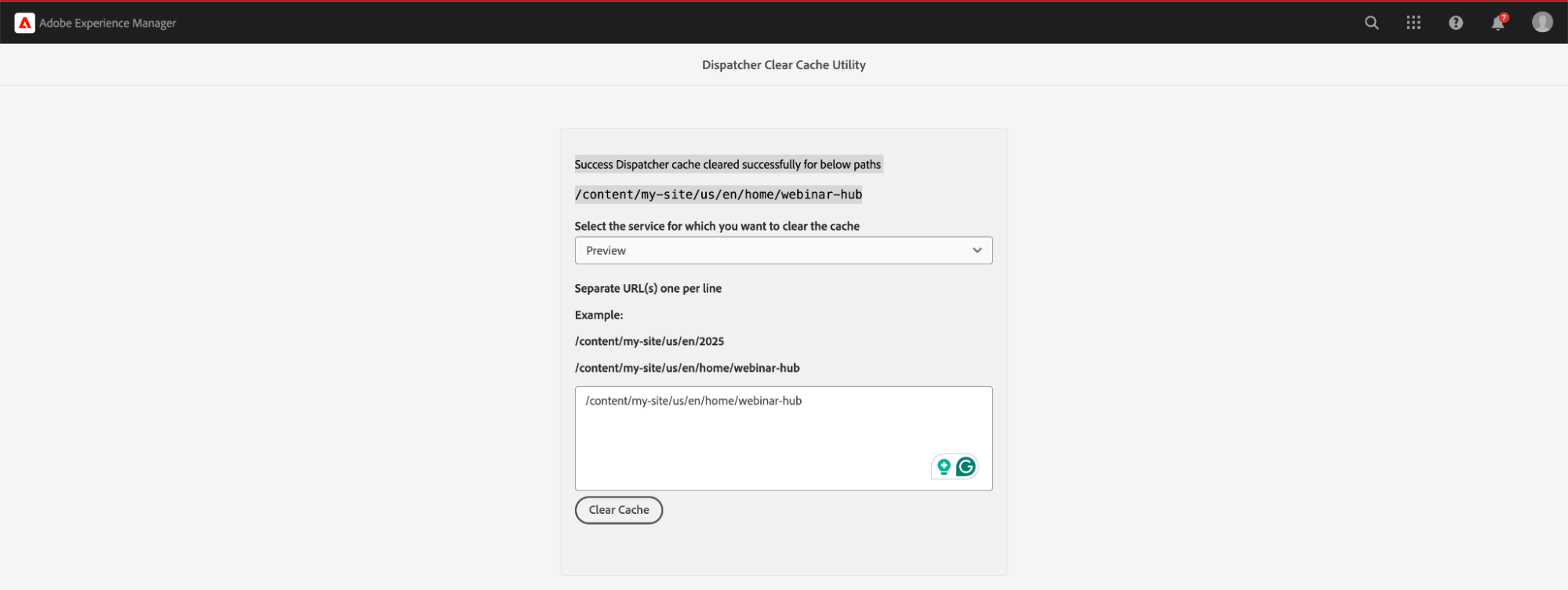
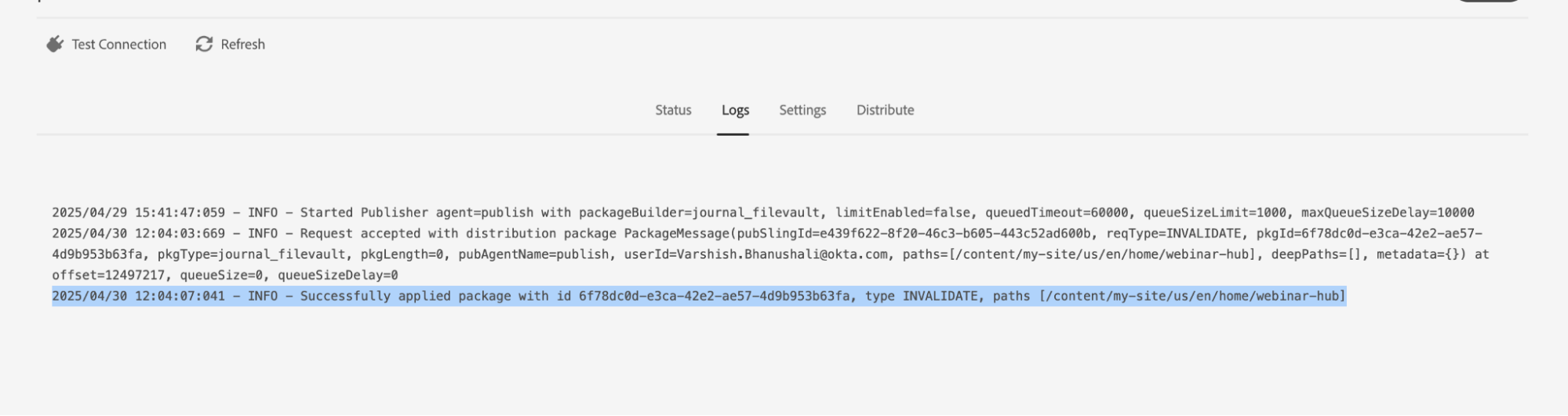
Once teams trust the tool, it becomes part of the normal release flow—especially during content-heavy launches.
What This Solves (And What It Doesn't)
This utility doesn't replace:
- Proper dispatcher rules
- Cache headers
- Pipeline-based invalidation during deployments
What it does solve is the everyday operational friction:
- No more guessing which cache to clear
- No backend access required
- No accidental full-site invalidations
Final Thoughts
In AEM as a Cloud Service, dispatcher cache management isn't optional—it's operational hygiene.
A small, focused utility like this:
- Reduces mistakes
- Improves confidence during releases
- Keeps performance predictable
Sometimes the most valuable tools aren't the biggest ones. They're the ones that stop small problems from becoming bigger ones.
Need Help Implementing This?
If your team is running AEM Cloud and cache invalidation is still a manual or fragile process, we can help design something that fits your setup—without overengineering it.
Contact us to talk through your use case.