Personalization used to be a differentiator.
Now it's table stakes.
Customers don't compare your site to competitors anymore - they compare it to the last best experience they had. That might be Amazon. Or Netflix. Or a B2B portal that somehow knew exactly what they needed next.
When brands get this right, the upside is real. Mckinsey estimates that personalized recommendations contribute 10-30% of digital revenue for high-performing companies. We see that play out in the field—especially when personalization is tied to real customer behavior, not assumptions.
That's where Adobe Target Recommendations earns its keep.
The Problem With "Manual" Personalization
Most teams start personalization with good intentions.
Someone updates a "featured content" list.
Someone else curates "related articles."
Every few weeks, it all gets refreshed.
And then traffic shifts. Behavior changes. Campaigns launch. The curated experience falls behind—quietly.
Manual personalization doesn't fail because teams aren't smart. It fails because people can't react at the speed customers move.
Adobe Target changes the equation by learning directly from what visitors do—then adjusting recommendations automatically, in real time.
No guessing. No static rules.
How Adobe Target Recommendations Really Works
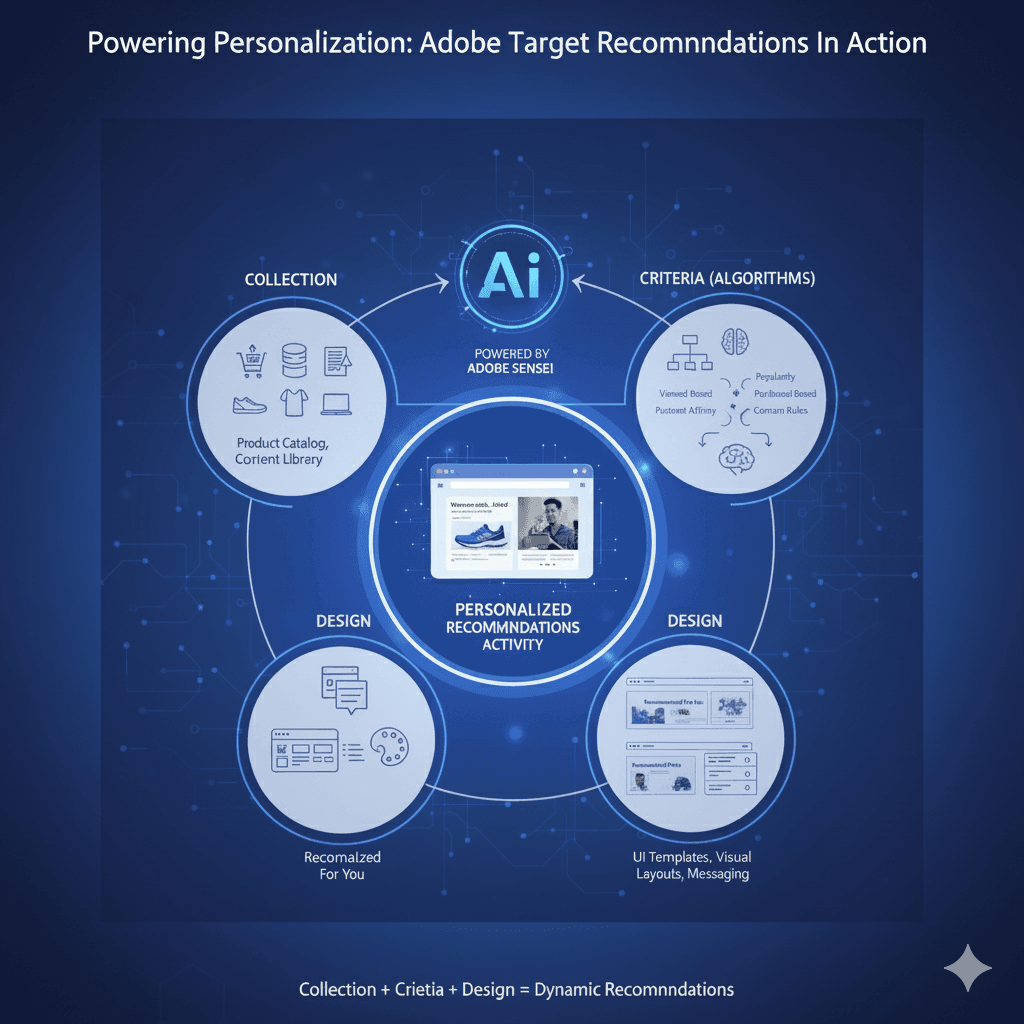
At a practical level, Adobe Target Recommendations come down to three things.
1. Entities: The Content or Products That Matter
Entities are simply the items you want to recommend.
That could be:
- Products
- Blog posts
- Webinars
- Videos
- Case studies
- Resource pages
Each entity carries metadata—IDs, categories, images, descriptions. The quality of that data matters more than most teams realize.
In retail, this might mean SKUs and accessories. In healthcare, educational content or care pathways. In B2B, it's usually thought leadership, demos, and customer stories.
When entities are well-structured and kept fresh, recommendations improve fast.
2. Criteria: Why One Visitor Sees One Thing—and Not Another
Criteria determine why something is recommended.
Some examples we see used effectively:
- "Most viewed" content for credibility and trust
- "People who viewed this also viewed" for discovery
- Entity-based relationships (product → accessory, article → follow-up)
- Fully personalized recommendations based on individual behavior
This is where Adobe Sensei continuously learns. Not weekly. Not nightly. Continuously.
The result is less manual effort and far fewer "why is this showing here?" conversations.
3. Design: Making Recommendations Feel Natural
If recommendations feel bolted on, users ignore them.
Design controls how recommendations show up:
- Carousels
- Inline modules
- Sidebars
- End-of-article suggestions
Retail teams often use them on product pages. Healthcare teams embed them directly in patient journeys. B2B teams place them where readers naturally pause.
The goal isn't decoration. It's flow.
Putting It Into Action
Creating a Recommendations activity in Adobe Target is straightforward:
- Select the entities
- Apply the criteria
- Choose the design
From there, optimization happens automatically—based on real usage, not internal opinions.
Why This Matters to CMOs and Digital Leaders
This isn't about AI for the sake of AI.
It's about:
- Reducing friction in discovery
- Helping customers take the next logical step
- Freeing teams from endless manual updates
- Proving ROI from personalization investments
When recommendations are done right, they don't feel like marketing. They feel helpful.
Where AEM Comes In
When Adobe Target is connected to Adobe Experience Manager, personalization becomes much easier to sustain.
Content created in AEM can flow directly into Target's recommendation engine—without spreadsheets, exports, or manual syncs. That keeps experiences relevant as content changes.
The Initialyze Difference
At Initialyze, we've extended this integration with custom exporters that connect AEM content directly to Adobe Target.
That means:
- Blog posts, webinars, and resources are available for recommendations automatically
- Publishing teams work once, not twice
- Personalization stays current without added overhead
It's how personalization scales without slowing teams down.
Ready to Make Personalization Work Harder?
Personalization shouldn't be a constant rebuild.
It should improve quietly, every day.
Adobe Target Recommendations provides the intelligence.
Initialyze helps make it operational.
Book a free 30-minute Personalization Readiness Consultation
Let’s move personalization from promise to performance.